
Lab Note: Scaling Project Creation with pt-cli
Gary Ritchie, May 11, 2026
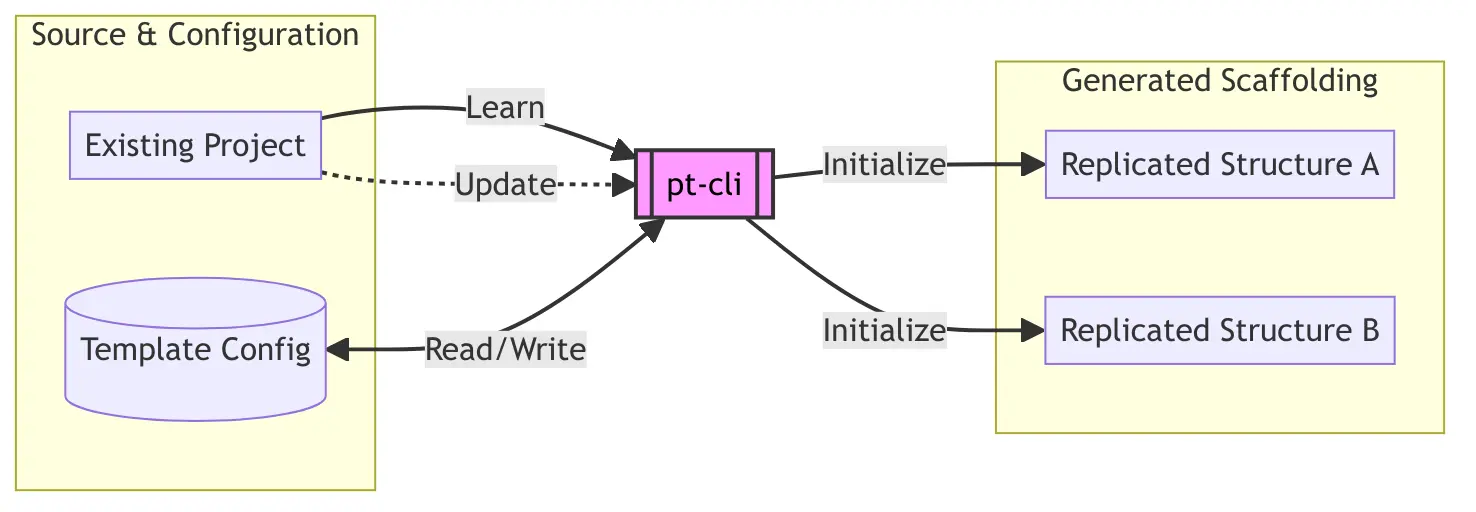
I believe the way you organize your workspace can be just as important as the work itself. For years, my project organization was handled by a system I called PROJECT_TEMPLATE. It wasn’t designed so much as it was grown; it evolved organically alongside my projects, adapting as I found my own way of working.
Because it was strictly for my own use, it didn’t matter that it was a bit unruly. It just needed to work – even as I was still discovering the specific ways I wanted to operate. However, as the scope of my work expanded, the system hit a ceiling.
The Breaking Point of v1.0
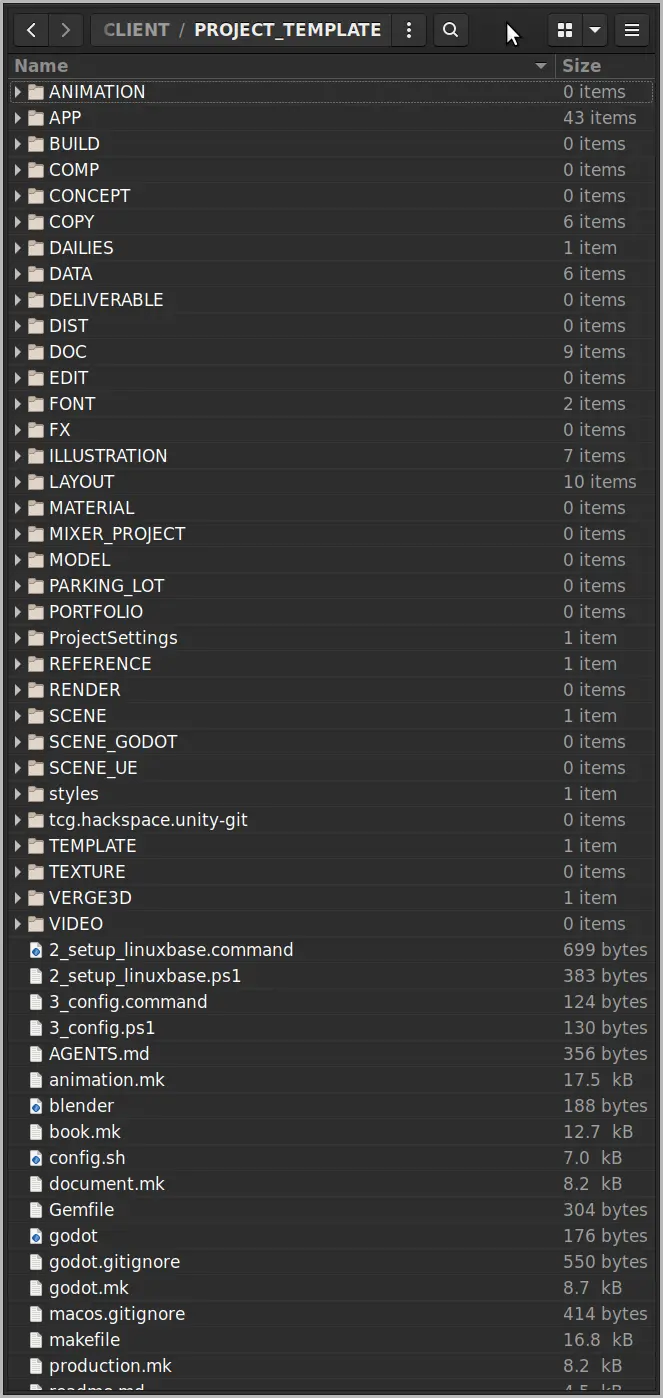
The original PROJECT_TEMPLATE had its logic and configuration deeply intertwined. Every time I wanted to create a new template or modify an existing one, I had to dive into the script and edit code in several different sections.
This "baked-in" approach worked for one or two project types, but once I hit three templates, the system outgrew its own design. Making a new template became a chore, and the manual maintenance felt wrong. I needed a clean break: a tool where the logic was separated from the project definitions.
Enter pt-cli: Replicating Patterns
pt-cli is the result of that break. Developed as a Node.js application, it is inherently cross-platform, running seamlessly on macOS, Windows, and Linux.
Unlike its predecessor, pt-cli doesn’t have a hardcoded vision of what a "good" folder structure looks like. Instead, it is designed to enforce existing patterns, whether they are consistent or not. By using the "learn" and "init" features, the tool can analyze an existing project structure and replicate those patterns for new work. This flexibility allows for any number of templates and any file/folder-naming scheme you prefer. It helps support an existing scheme by creating a template directly from your established project work.
Example Guidelines: My Current Workflow
While pt-cli supports any scheme, I use it to replicate a set of personal naming guidelines I’ve found most effective for reducing cognitive load on long-term projects:
- UPPERCASE for folders.
- Singular nouns only (e.g.,
IMAGE, notIMAGES). - No spaces or funky characters – keeping things terminal-friendly.
- General-to-specific naming hierarchy.
Automation and Utility
A project structure is a foundation, but the tools built on top of it provide the power. By having a predictable folder layout – replicated reliably by pt-cli – I can use a variety of scripts to handle repetitive tasks, such as:
- framesampler: Automatically converts raw frames into compressed movies with framestamps and metadata.
- DAILIES: Generates preparatory files for review.
- Documentation: I use
.infofiles andMakefilesto automatically generateDoc/folders.mdorDoc/filenaming.mdfor every project which can be helpful when collaborating. - Project archival: Removes version history, temporary files and compiles project notes after a project is delivered.
A Note on Alternatives
After I had already established these patterns and built the initial versions of my tool, I discovered Post Haste. It looks like a fantastic, polished tool used by many professionals. However, pt-cli was born from a specific desire for a lightweight, terminal-first workflow that prioritized plain-text metadata and FOSS-friendly flexibility. By the time I researched the alternatives, my own workflow was already "tried-and-tested" for my specific mix of 3D, design, and development.
Looking Ahead: pt-gui and Beta Testing
While the CLI is my primary driver, I know that sometimes a visual interface is simply faster for spinning up a new project or editing the templates. To that end, pt-gui is currently in development. Like the CLI, the GUI is fully cross-platform (macOS, Windows, and Linux) and is already functional.
Specs:
- Core Tool:
pt-cli - GUI Companion:
pt-gui - Environment: macOS, Windows, Linux
- Repository: garyritchie/pt-cli
If you’re interested in a more visual way to manage project templates and want to help beta test the GUI, please reach out to me.
Cheers,
Gary
gary@lyonritchie.com
Bluesky,
LinkedIn,
Mastodon,
X